Powerful Pattern Matching for Your Rules
You can now use regular expressions (regex) in your Finta rules, giving you the flexibility to match complex patterns with a single rule instead of creating multiple rules for similar transactions.
What's New
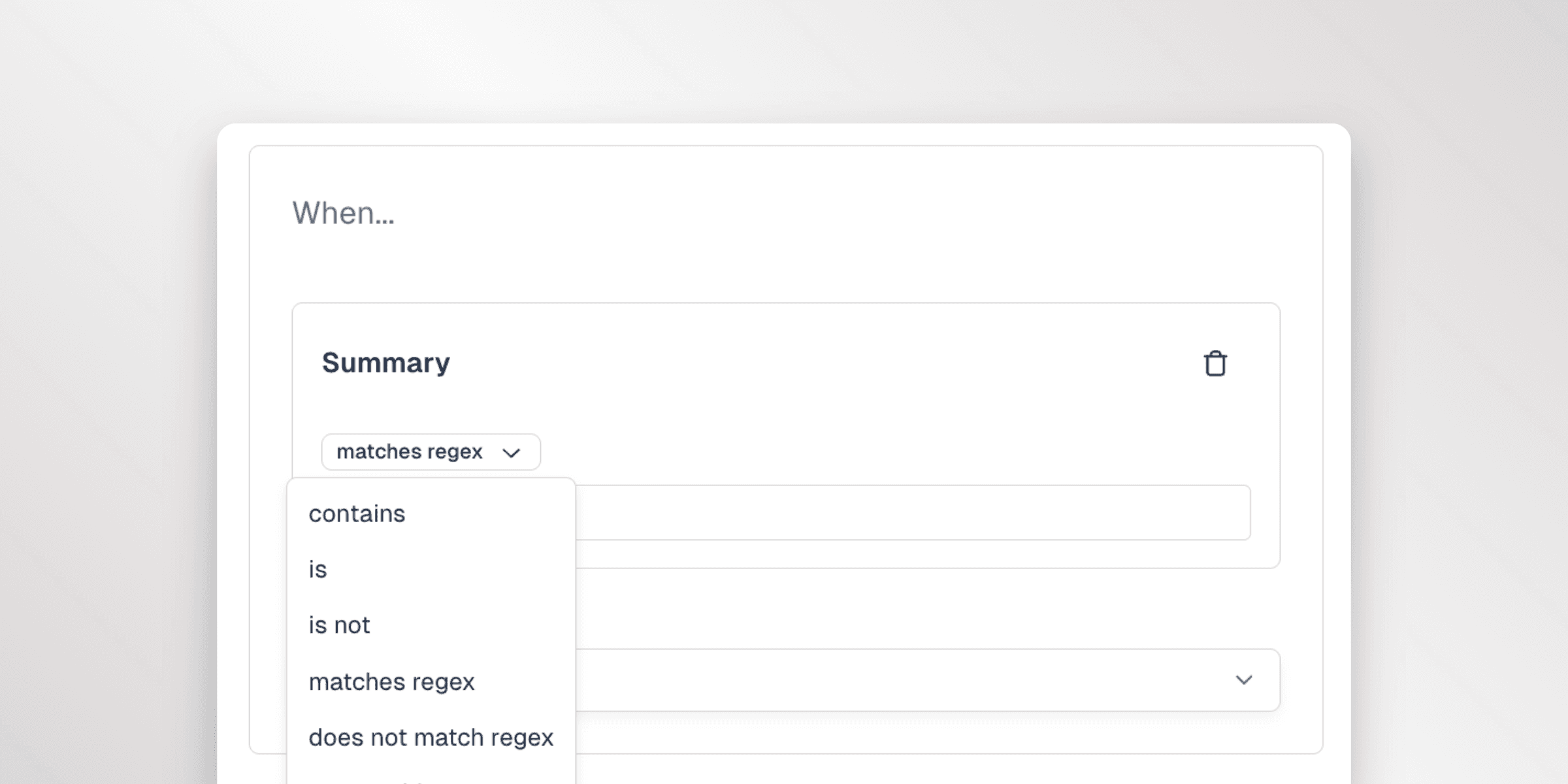
New Rule Operators
Two new operators are available when creating rules:
- matches regex - Match transactions where the field value matches your pattern
- does not match regex - Match transactions where the field value does NOT match your pattern
These operators work with the Summary and Original Description fields.
Why This Matters
Previously, if you wanted to categorize all your coffee purchases, you'd need separate rules for "Starbucks", "Coffee Bean", "Peet's Coffee", and every other coffee shop. Now you can create a single rule:
Summary matches regex(Starbucks|Coffee Bean|Peet's|Dunkin)
This one rule will match transactions from any of those merchants, keeping your rules list clean and manageable.
More Examples
- Match any subscription:
(Netflix|Spotify|Hulu|Disney)
- Match reference numbers:
REF-\d{6} - Match date patterns:
\d{2}/\d{2}/\d{4} - Match payment with optional reference:
payment(?:\s*#\d+)?
- Match transaction IDs:
[A-Z]{2,3}-\d{4,}
starbuckswill match "STARBUCKS" and "Starbucks".
Get Started
Regex pattern matching is available now. When creating or editing a rule, select "matches regex" or "does not match regex" from the operator dropdown to start using pattern matching in your rules.