Why Spreadsheet Tracking Falls Apart Without Automation
Google Sheets is genuinely great for tracking your finances. You control the layout and the formulas. No app forces you into its dashboard or its idea of what a budget should look like.
But it has one real weakness: getting the data in.
If you have accounts across multiple banks, checking each balance means logging into each one separately. Keeping a historical record means doing that every day or every week. Most people start strong, then the spreadsheet gets stale and eventually abandoned.
Automatic bank sync solves this. Your balances stay current based on the timing of each bank connection. No logging in, copying, or recurring imports.
What Syncs to Google Sheets
When you connect a bank account through Finta, your account data flows into your spreadsheet:
How to Set It Up
1 Connect Your Bank Accounts
Sign up for Finta and connect your accounts using Plaid (US and Canada) or GoCardless (Europe). The connection is read-only. Finta can pull your data but can't move money. Your credentials are never stored.
Connect as many accounts as you want: checking, savings, credit cards, investment accounts. Most major banks, credit unions, and brokerages are supported. Finta also has direct connections to Stripe and Mercury, so you can pull in business account balances alongside your personal ones.
2 Create a Google Sheets Destination
In Finta, create a new destination and select Google Sheets. Authorize your Google account and choose whether Finta creates a new spreadsheet or connects to one you already have.
Finta creates a sheet for each data type you enable, like the Accounts and Balance History sheets shown above. For a PayPal connection, see how to automate a PayPal-to-Google-Sheets workflow.3 Choose What to Include
Before the first sync runs, customize your setup:
Pick your accounts. If you don't want your business accounts mixed in with personal ones, only connect the relevant accounts. Set your start date. Finta can backfill up to 24 months of history from most banks. Choose how far back you want to go.4 Let It Run
After setup, Finta syncs automatically based on the timing of each bank connection.
For an immediate pull, hit the manual sync button in the dashboard. Takes about 30 seconds.
Supported Banks
Finta connects to 12,000+ financial institutions across the US, Canada, and Europe.











Use It With Our Free Template
Finta gets your account data into the spreadsheet. This template gives you something useful to do with it. It's pre-built around Finta's column structure, so there's nothing to configure.
If your next step is a monthly spending plan, use the Google Sheets monthly budget template with the same source-tab setup. Want to go deeper on building a full personal finance system in Google Sheets? See How to Manage Your Personal Finances in Google Sheets.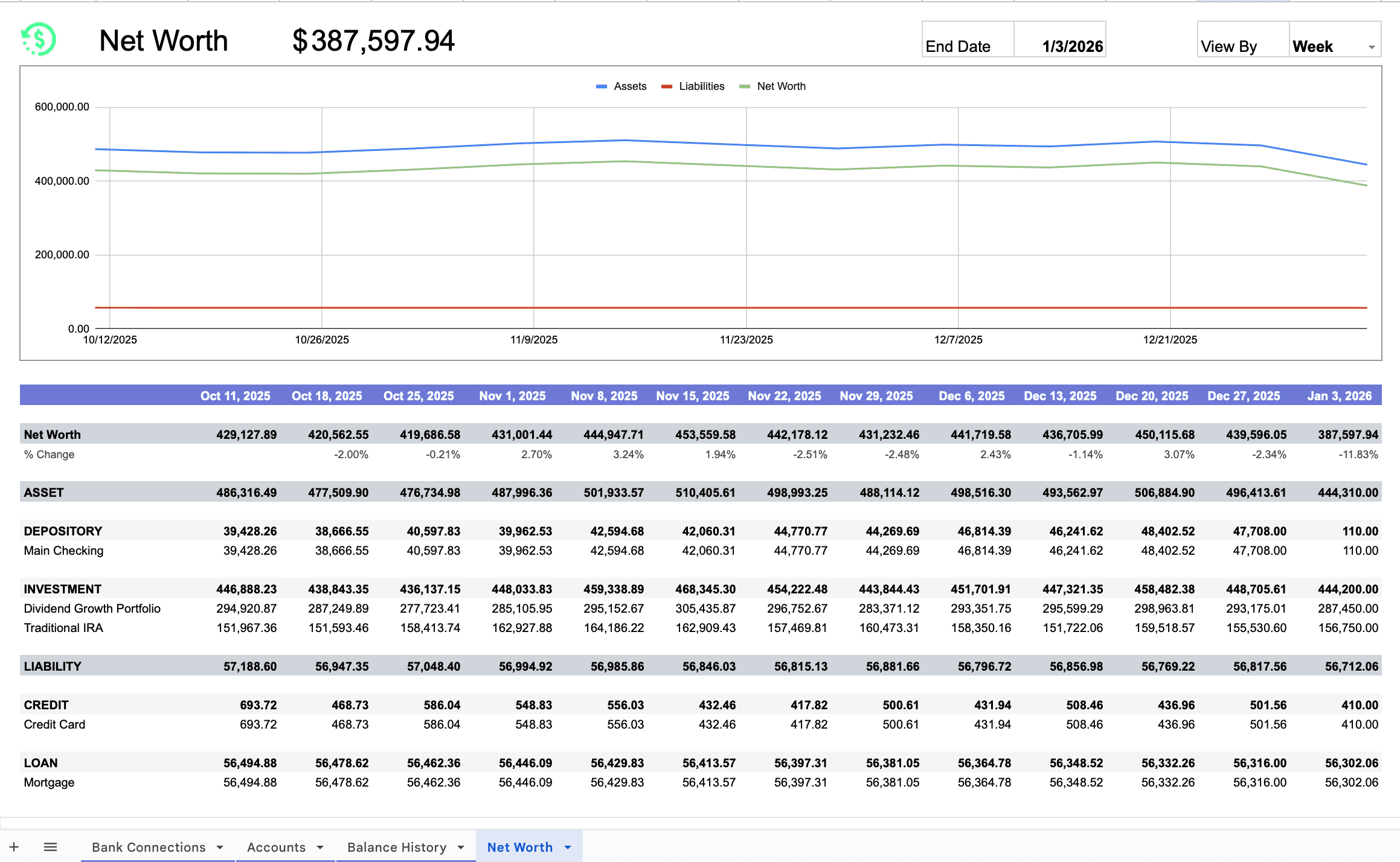
Frequently Asked Questions
Which banks work with Finta?
Finta supports 12,000+ financial institutions in the US, Canada, and Europe: Chase, Bank of America, Wells Fargo, Fidelity, Charles Schwab, Robinhood, and more. Check the full list at finta.io/coverage.
What data syncs to Google Sheets?
Current account balances, daily historical balance snapshots for tracking net worth over time, and optionally transactions and investment holdings. You choose which data types to include when setting up your destination.
How often does the sync run?
Timing depends on the connection. Plaid syncs when the institution reports new activity, while GoCardless follows a bank-specific schedule with no scheduled gap longer than 24 hours. You can also trigger a manual sync from the Finta dashboard.
Is my bank login secure?
Yes. Finta uses Plaid for US and Canadian banks and GoCardless for European banks. Both use bank-grade encryption and read-only API access. Finta never sees or stores your banking credentials.
Can I sync multiple bank accounts?
Yes. Connect checking, savings, credit cards, and investment accounts across multiple banks. All account data flows into one Google Sheet, or you can create separate destinations per account.
What happens to my data if I cancel Finta?
Your Google Sheet stays exactly as is. All synced data remains in your Google Drive. Automatic syncing stops, but nothing gets deleted.
Stop logging into every bank. Start syncing.
Connect your bank accounts to Google Sheets once. After that, Finta keeps the numbers current.
Get Started Today