Airtable · Personal finance
Airtable personal finance templates
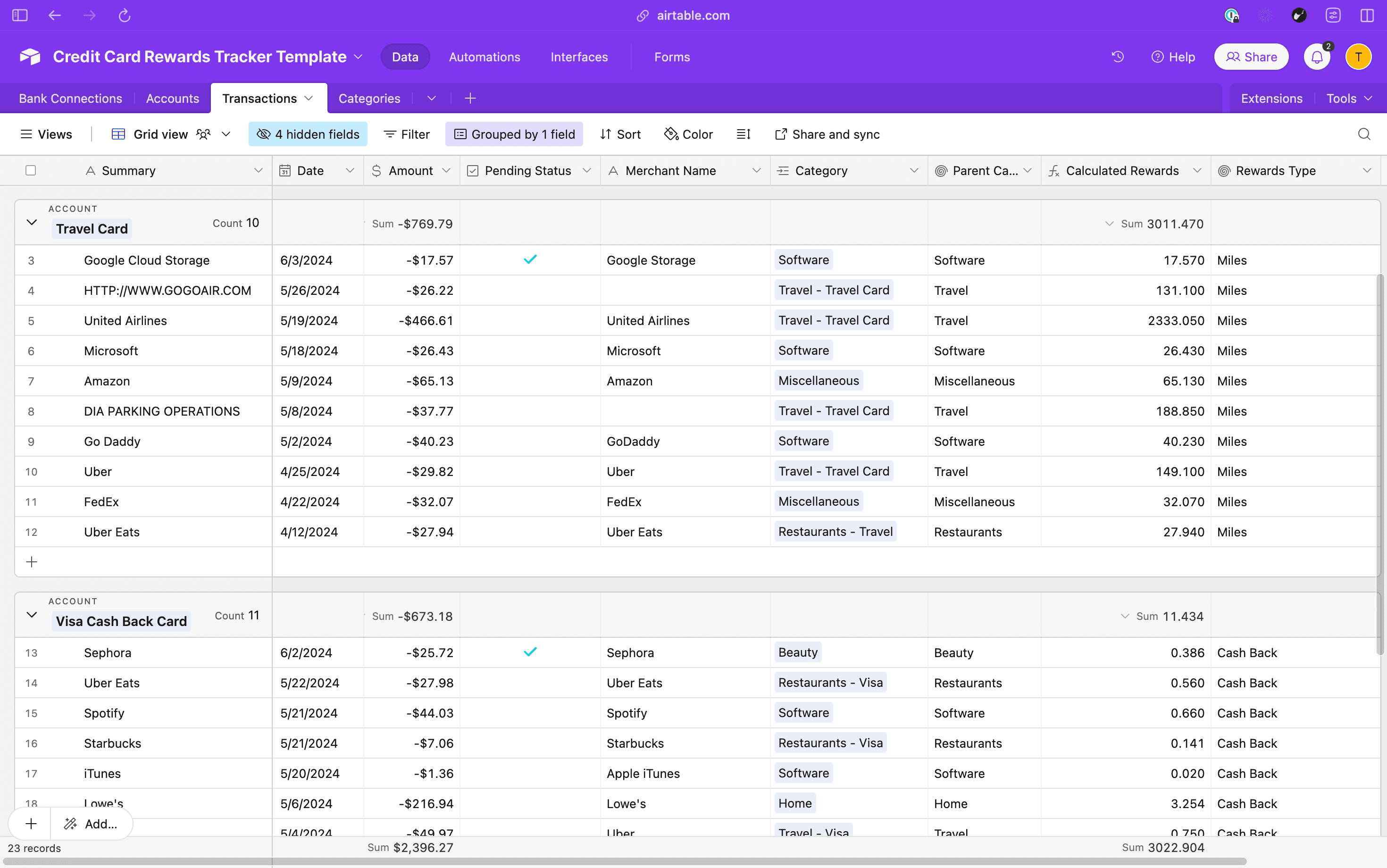
Personal finance templates for Airtable, for the budgets, reviews and check-ins you run on your own money. Each one is an Airtable base you copy into your own workspace, and Finta can fill its Accounts and Transactions tables once you connect a card.
How it works
Airtable is the destination. Finta is the part that keeps it current.
Connect a card in Finta, choose the copied base as your destination, and pick the tables to sync. Finta writes new records on your bank's schedule and leaves your fields, links and formulas as you built them. The Airtable integration page lists the fields each table carries.
7-day free trial. No credit card required.
Copy the base from Airtable Universe.
It lands in your own workspace, free.
Set your cards and bonus categories.
Base multipliers go in Accounts, bonus rates in Categories.
Connect Finta and select this base.
Transactions arrive as your bank posts them. Finta rules can tag categories on the way in.
Airtable questions
Before you copy one
- Are these templates free?
- Yes. Every template here is free to copy. Finta is a paid subscription with a 7-day free trial; the MCP prompts need it to read your data, and the other templates work without it.
- Does the base work without Finta?
- Yes. Type transactions in and the rewards math still works. Finta matters once you would rather not enter every swipe yourself.
- Which tables does Finta fill?
- Accounts and Transactions. Categories and the multipliers are yours to set.