This is for you if you decide where each paycheck goes before you spend any of it, and you'd rather do that in a spreadsheet you can rearrange than in someone else's app. The usual catch with envelope spreadsheets is the typing. An envelope's balance is only as right as the last purchase you entered. Type purchases in yourself if you like the ritual, or let Finta add them from your bank.
Google Sheets · Personal finance
Envelope Budget Template for Google Sheets
Split each paycheck between envelopes like Rent, Groceries and Flights, spend from them, and carry what's left into next month. Type your transactions in, or let Finta fill them in from your bank so the envelopes stay current.
Free. No email. Works in any Google account. Opens a copy in your Drive.
Envelope budget template
Budget tab
Sample data
What's inside
Tab by tab
What each tab does and where its data comes from
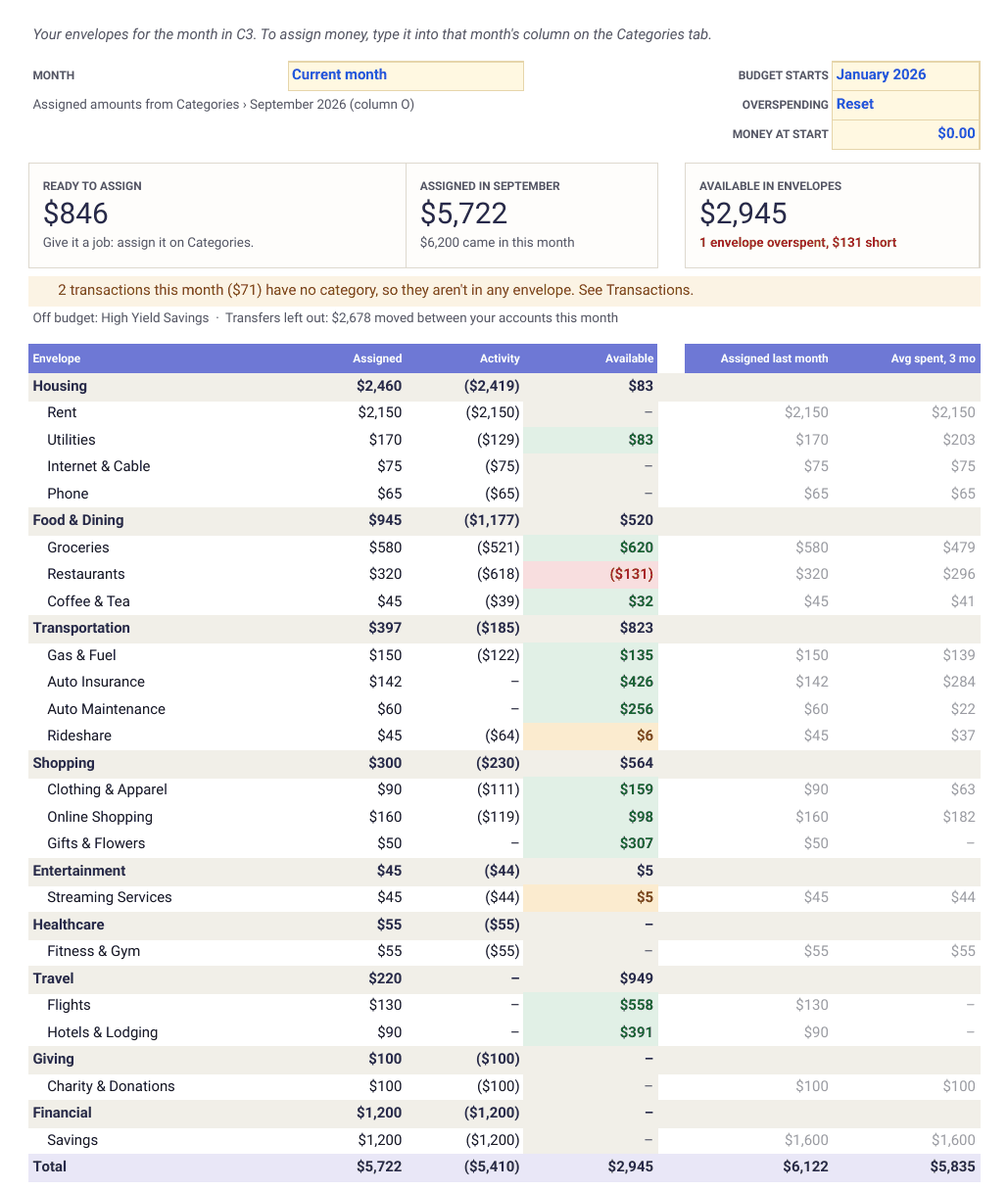
What you assign goes on Categories, one amount per envelope per month. If you type your transactions in, those go on Transactions. Budget and Reports are formulas that read the four source tabs. Delete the sample rows before you start.
- Budget
- Ready to Assign at the top, then every envelope by group with what you assigned, what you spent and what's available. Available goes red when an envelope is overspent. Pick any month, your start month and what happens to overspending.
- Formulas · read only
- Reports
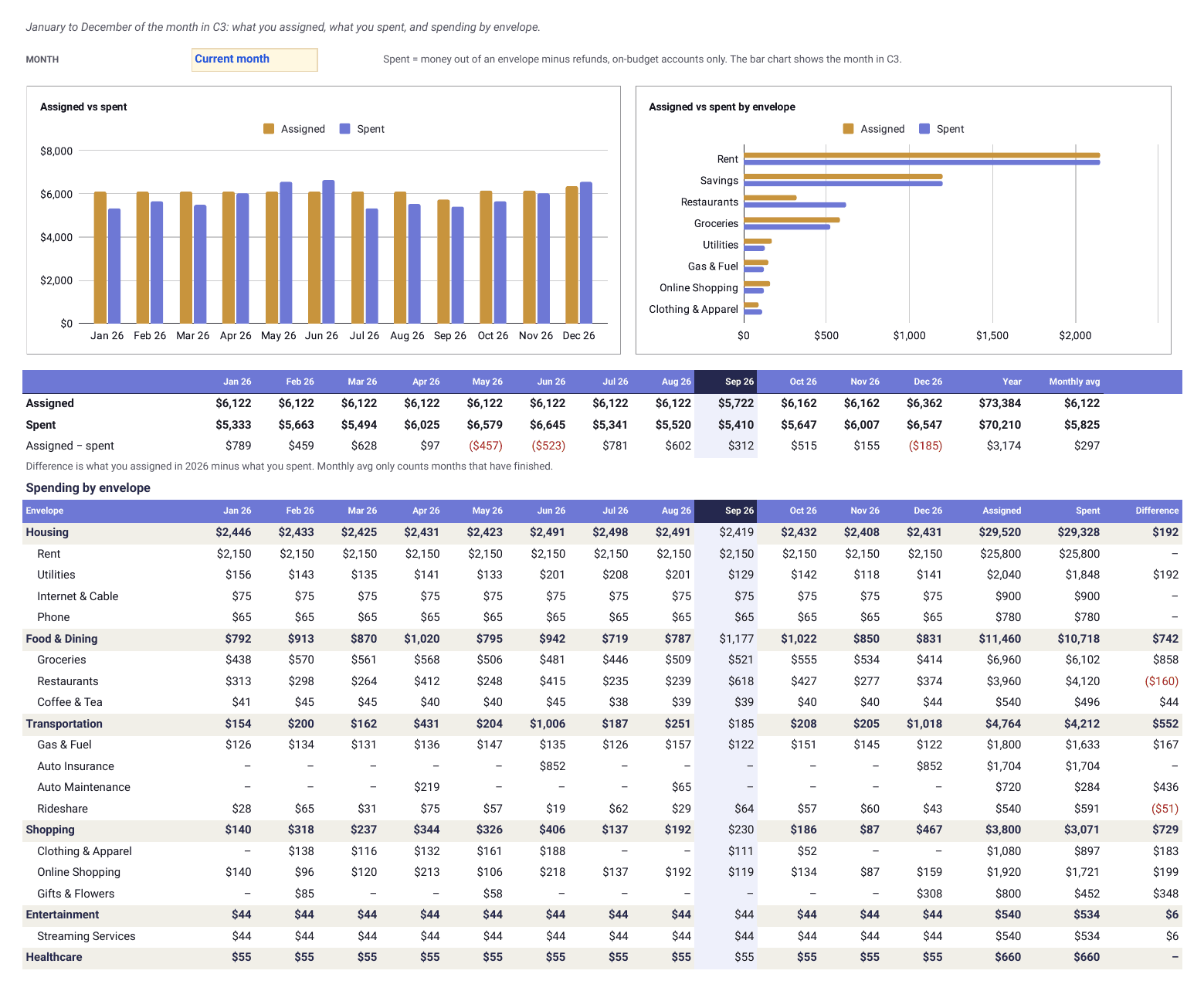
- January to December. Assigned vs spent month by month, the top envelopes for the month you pick, and each envelope's spending with the year's assigned, spent and difference.
- Formulas · read only
- Start Here
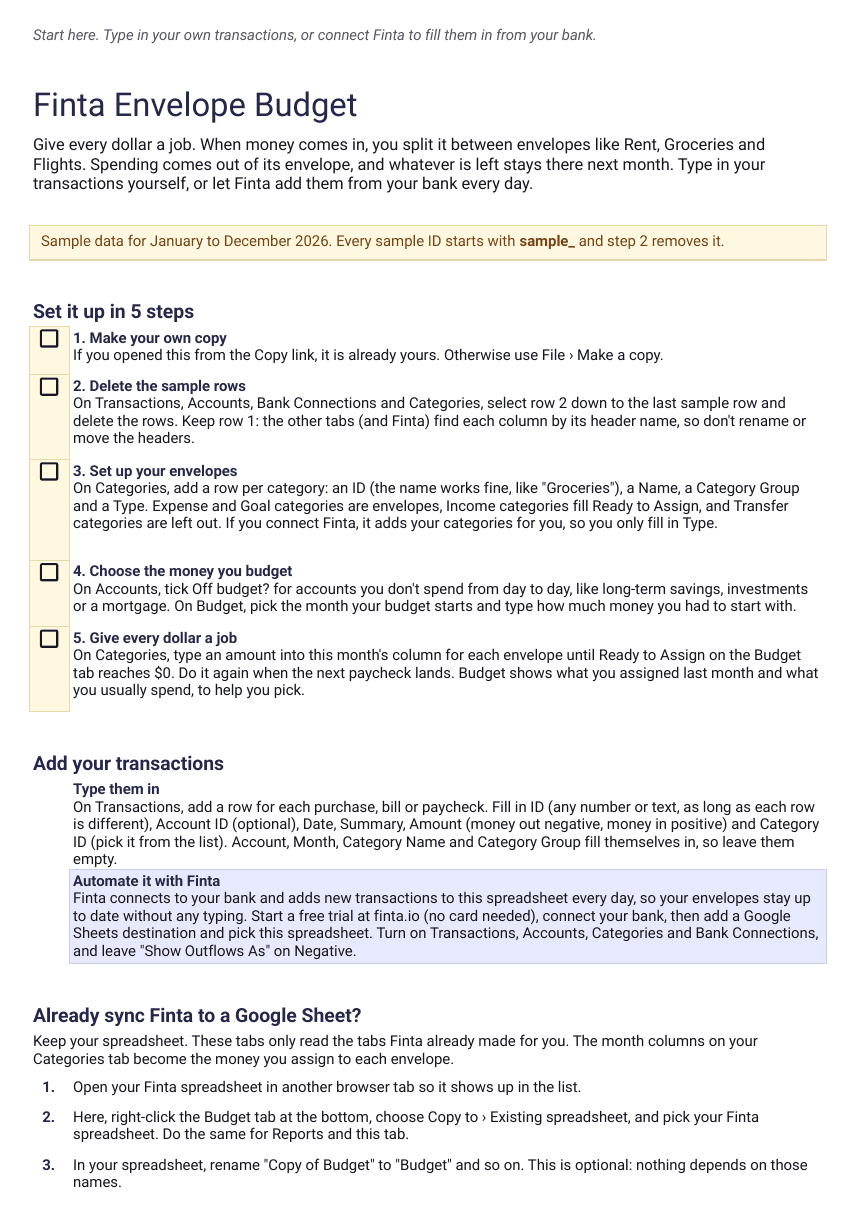
- Five setup steps, the two ways to add transactions, and how to add these tabs to a spreadsheet Finta already syncs to.
- Guide
- Transactions
- Date, merchant, amount and category. Type them in, or let Finta write them.
- Finta · Transactions
- Accounts
- Every account with its type and balance, plus an Off budget? box for the accounts you don't spend from.
- Finta · Accounts
- Categories
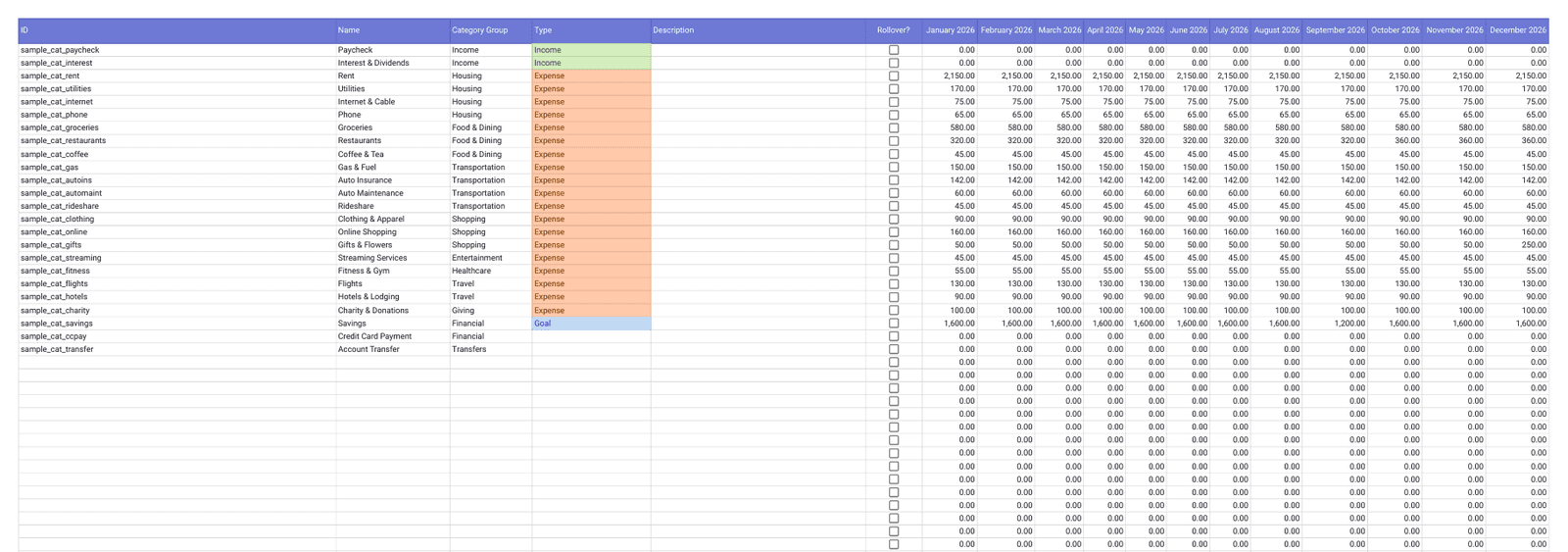
- Your envelopes. Each one gets a type and one column per month for the money you assign to it.
- Finta · Categories
- Bank Connections
- One row per bank you connect, with its last update. Only Finta fills this tab.
- Finta · Bank Connections
Who this is for
Compare
This template or a paid envelope app
Both give every dollar a job and carry what's left into next month. The difference is what you pay and where the budget lives.
This template
- Price
- Free. Finta bank sync is $7 a month, and you can try it free for 7 days
- Bank sync
- Yes, through Finta, straight into your sheet
- Envelopes
- Every Expense and Goal category is one
- Rollover
- Yes. Overspending resets or carries, your choice
- Where your budget lives
- A Google Sheet in your Drive, where you can change any formula
Paid envelope apps
- Price
- A monthly or yearly subscription
- Bank sync
- Depends on the app
- Envelopes
- Yes
- Rollover
- Yes
- Where your budget lives
- Inside the app
| This template | Paid envelope apps | |
|---|---|---|
| Price | Free. Finta bank sync is $7 a month, and you can try it free for 7 days | A monthly or yearly subscription |
| Bank sync | Yes, through Finta, straight into your sheet | Depends on the app |
| Envelopes | Every Expense and Goal category is one | Yes |
| Rollover | Yes. Overspending resets or carries, your choice | Yes |
| Where your budget lives | A Google Sheet in your Drive, where you can change any formula | Inside the app |
Paid apps differ from one to the next, so check the one you're weighing up.
Setup
Three steps to your first envelopes
Copy the template. It opens in your Google Drive with a year of sample data.
Delete the sample rows, then add your envelopes on Categories, or connect Finta and it adds your categories for you. Pick your start month on Budget.
Assign this month's money on Categories until Ready to Assign is $0, then type in transactions or let Finta add them.
Keep it updated automatically
Stop typing in every purchase
Connect your bank, choose this sheet, and Finta writes new transactions, balances and categories into the four source tabs on your bank's schedule. Activity and Available update from them. What you assigned stays exactly as you typed it, because Finta doesn't touch the month columns.
Your bank connects through Finta to this sheet.
Tables to enable
- Bank Connections
- Accounts
- Categories
- Transactions
Start a free trial
7-day free trial. No credit card required.
Layouts
Other ways to lay out a budget
Each layout has its own copy link, and Finta fills them all the same way.
Google Sheets
This page
Envelope budget
Assign each paycheck to envelopes, spend from them, and carry what's left into next month.
Best for
Giving every dollar a job
CopyYou are here
Notion
Opens in Notion
Zero-based budget
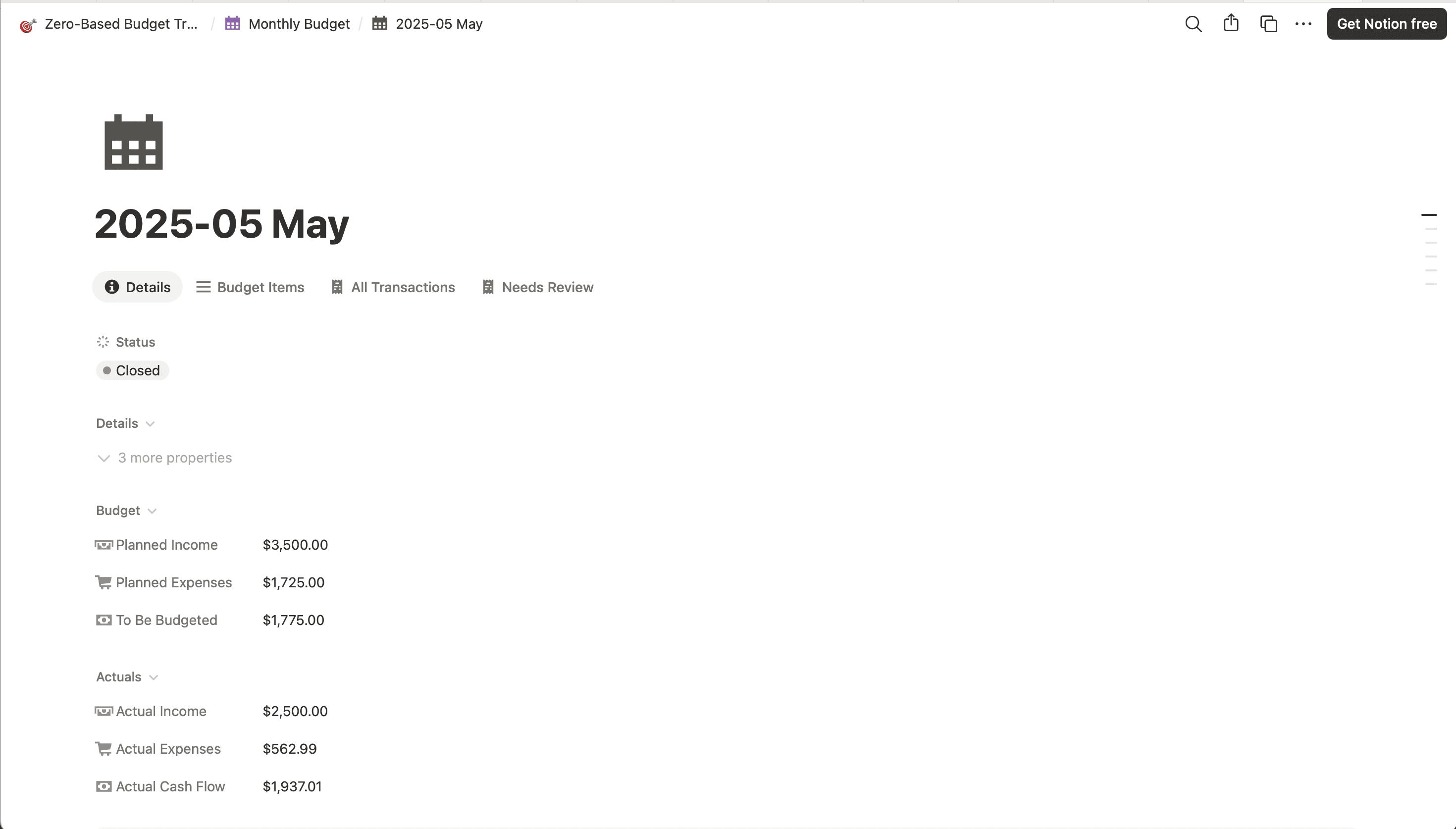
The same idea in Notion, with income allocation and envelope balances.
Best for
People who already live in Notion
Envelope budget template questions
- What is envelope budgeting?
- You split the money you have between envelopes, one per spending category. Spending comes out of its envelope, and whatever you don't spend stays there next month. When an envelope runs dry, you move money over from another one or wait for the next paycheck. People used to do it with cash in paper envelopes. This template does it with an Available balance per category.
- How do I use this envelope budget template?
- Copy it into your Google Drive and delete the sample rows. On Budget, pick the month your budget starts and type in the money you had to start with. Then on Categories, type an amount into this month's column for each envelope until Ready to Assign on the Budget tab reaches $0. Add transactions by hand or connect Finta, and Activity and Available update on their own.
- Do I need Finta to use it?
- No. The template is free and works with transactions you type in yourself. Finta is optional. Connect it and new transactions from your bank land in the sheet as they post, so you stop typing them in. You can try it free for 7 days without a card.
- What happens when I overspend an envelope?
- The envelope's Available turns red. You pick what happens next month on the Budget tab. Reset, the default, starts the envelope at $0 and takes the shortfall out of Ready to Assign. Carry keeps the envelope below $0 until you assign money to cover it.
- How does it handle credit cards?
- Card spending counts in its envelope when the transaction posts. Card payments have the Transfer type, so they are left out and the same purchase isn't counted twice. There are no separate credit card envelopes, so keep enough in your envelopes to pay the card in full.
- Can I leave savings or investment accounts out of the budget?
- Yes. On Accounts, tick Off budget? for any account you don't spend from. Its transactions and income are left out, and a transfer into it from checking counts as spending from the envelope you file it under, like Savings.
- I already sync Finta to a Google Sheet. Can I add these tabs to it?
- Yes. In this template, right-click the Budget tab, choose Copy to, then Existing spreadsheet, and pick your Finta spreadsheet. Do the same for Reports. They read the Transactions, Accounts, Categories and Bank Connections tabs Finta already made, and the amounts in your Categories month columns become what you assigned.
- Can I keep using it in 2027?
- Categories has a column for each month of 2026. Add columns for the 2027 months to the right of December and the other tabs pick them up.
Free Google Sheets template
Copy the envelopes, then decide whether to keep typing in transactions
The template is free. The Finta trial is 7 days, no credit card required.